Building of an AI Scanner
Living in Germany, receiving documents is not a rare case but a daily, if not multiple a day. You also need to really pay attention to which ones to consider, which to archive and which to dismiss. For me, given my attention span, this is a particular painful, and making sure everything is organized and that I have access to the right information is the hard part.
Particularly since I manage my own business, this problem has grown to a larger scale: knowing which organization sent a document, and having it at hand while doing the company financials or filing something with an official body. On the other hand, since I started a business around this very idea of protecting personal information from being leaked to AI labs, having an orchestration of agents in the cloud actually gave me the bed ready to build a smart layer on the existing scanner I had lying around, and use it to manage the documents better.
Earlier this year I wrote that the home AI setup isn't zero trust but appropriate trust. This solution is exactly that: getting the best of an LLM agent process while all the data is protected with anonymization and guardrailing.
The Approach
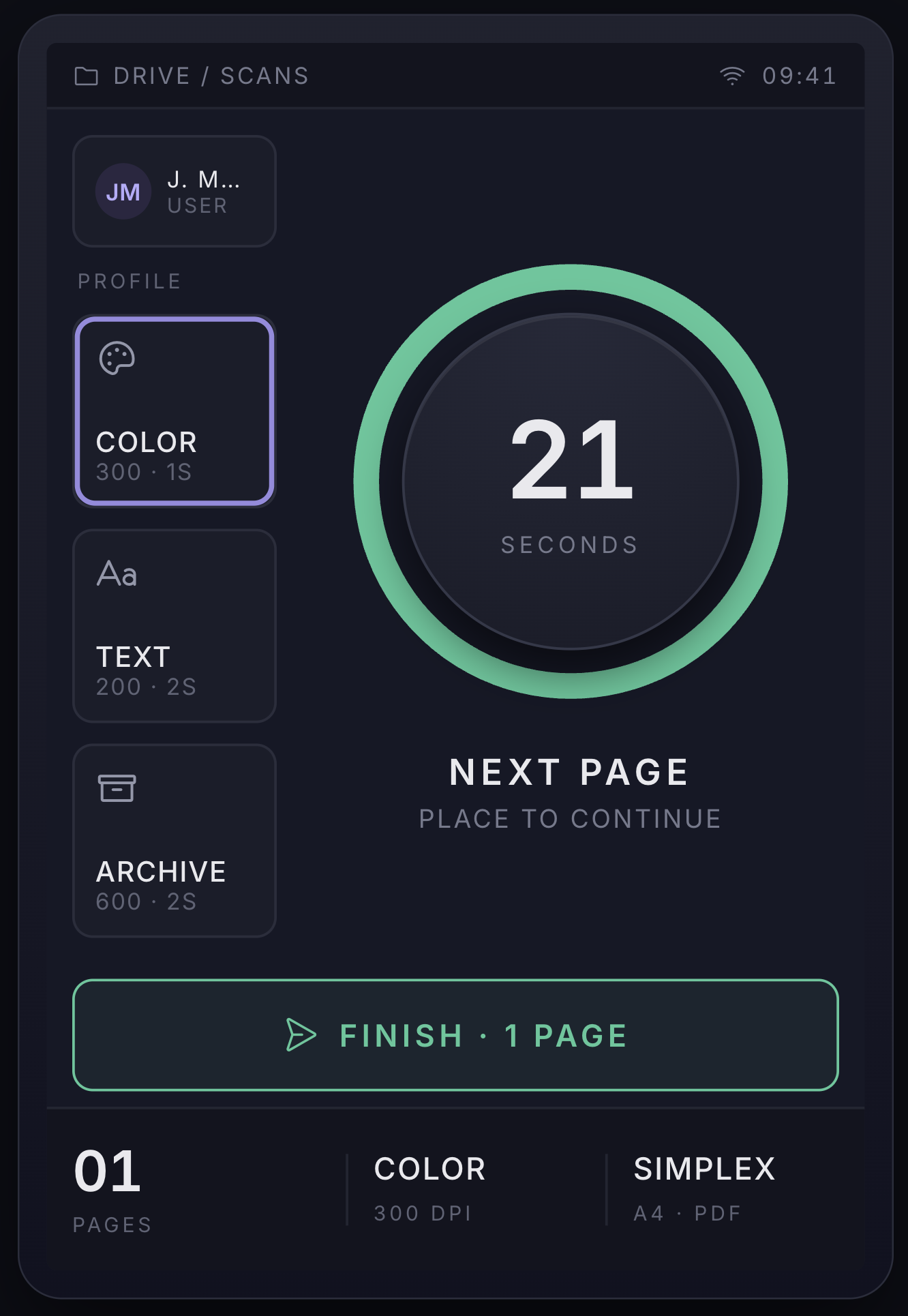
My approach was to take the dumb scanner and add a very light, power-efficient interface which would act as a bridge to push the data into an agent sandbox hosted on Outgate.ai where the sandbox is in sleep mode and only wakes up when it needs to. The product should be very simple to use: no click or interaction except feeding the paper. Paper feed is the only trigger, when you add a paper you get some time to feed the next one, and once the timeout passes we simply upload the scanned file to the agent, where we have integrations to send the doc to a cloud account (Google Drive), or to OCR it, figure out what is in the doc, and send an email with a summary and potentially the actions coming out of it.
I still wanted to have some interface on the scanner itself, to be able to do very basic configuration. The idea was to build it in less than a day (it actually took longer) but relative to the time needed, I could put it together in a shorter amount of time than I would otherwise spend monthly organizing and reading these mails and documents.
The Process
The process of building even a weekend project is not much different from a product development cycle: find the basic requirements, define the UX and build the clickable prototype, then fetch the non-functional requirements, what would be available and what would be missing from the tooling, check the hardware availability and what needs to be sourced, and start the development, testing and rolling out, at the end making sure we have fault tolerance across it.
The thing with AI development is: every step that would traditionally take sprints to fill takes hours, if not minutes.
Part of the process with Outgate, and the way I started to shift my thinking about the agentic process, was to really break the chain. The chain was already broken, to be fair, when we separated LLMs from agents; but I started to think an even further breakdown is actually needed if we want the flexibility for fast development cycles.
So I started thinking about this layer of orchestration that would separate multiple agents into different networks and environments. This is the concept of regions in the solution I've been developing for the past year. The idea being: when you need high availability, you can have the agent on moderate hardware in a multi-AZ setup in the cloud and if you are actually developing a solution that needs the local network and much stronger hardware, why not run a private region on bare metal inside the network and let it have direct access to the hardware it needs.
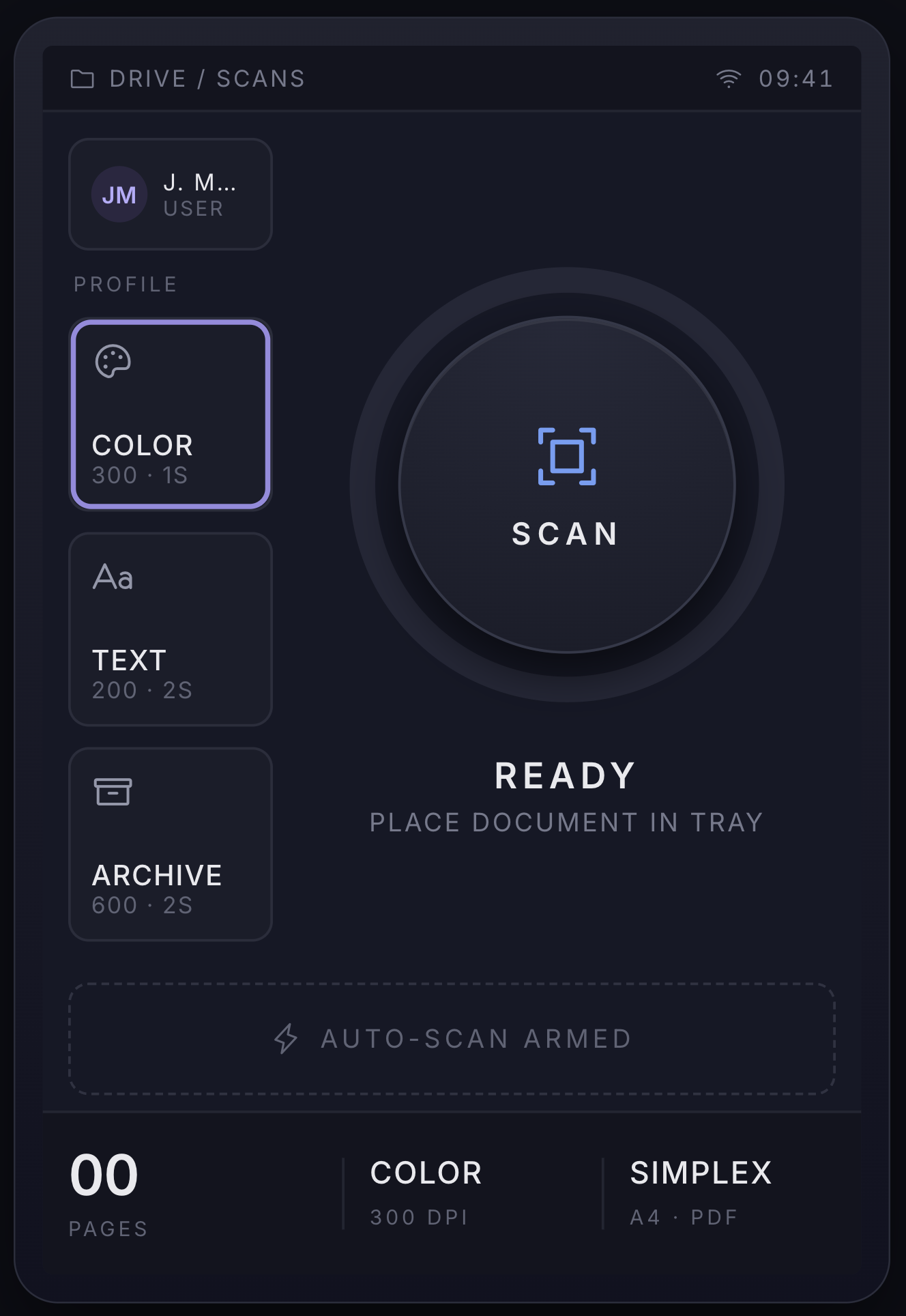
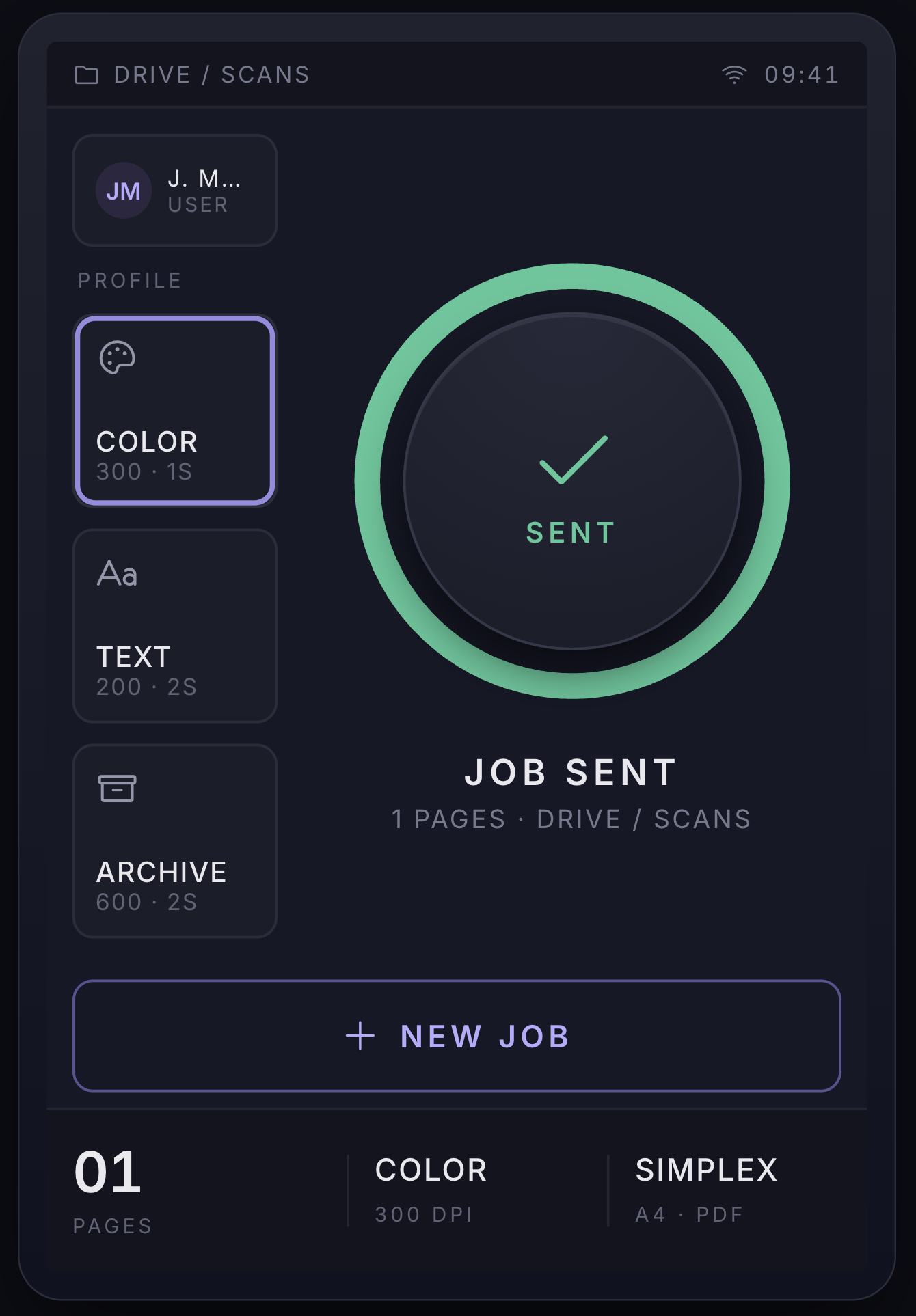
That brings me to the actual development. I started not with Outgate, actually I used one feature it is missing: Claude Design. I might bring similar functionality to Outgate soon, but for now it is actually good enough, I'd say. With a prompt of less than 300 words and answering some 20 questions, I had a full-on clickable prototype that would run on a 3.5-inch touch screen, with a simple enough experience showing me what is happening and letting me configure it differently if need be. The design really did exceed my expectations, tbh.
After that it was simply checking inventory: had a Raspberry Pi lying around, had a same-day delivery of a $15 touch screen ordered, and we were good to go with the next step.
The Outgate Region Is the Superpower
The private region I had set up earlier really helped, not only do I get access to much larger hardware (64 GB RAM, an RTX 5090 and a top-tier CPU), but I can enable sandbox access to the Raspberry Pi directly and let it fiddle around with the device on its own.
This already solved the issue quite massively compared to running the job in the cloud, while also not cluttering my laptop and I don't need to limit myself to the Pi's hardware. The sandbox is easy to kill if not needed, and we can restart the process from scratch with literally one click.
I used Claude in the sandbox on max effort, gave it the zip of the clickable design, and voilà: get it to work.
All About Iteration After That
This part is not really surprising if you have been working with agents for a while. You need to get a first version out: you are the team lead and the QA and the project manager at the same time, and you let the agent be the dev team: infra, quick testing, investigation and discovery.
Getting the first version took surprisingly few agentic inference loops. Maybe one or two, and that was it. The agent found the driver quite fast, figured out the connection, tried it in the sandbox first, deployed on the Pi, and facing a driver compatibility issue (Brother ships no ARM driver at all) managed to find a emulation route to get the x86 code running on ARM. Impressive. Not practical, though.
We ended up with code where the first function worked, mostly, but it took 5 minutes to scan a single doc, didn't handle many of the edge cases, and would time out on the second page upload.
The agent pushed for upgrading to a Pi 4, the older Pi's USB controller turned out to be genuinely problematic with this scanner require band width. I had one around, so why not; the change was very simple actually, swap the SD card and the touch screen and you're done.
What I think is: agents are making us braver than we would have been. After a few back-and-forths, knowing the scanning was painstakingly slow, and that on low DPI (150), basically timing out on 300–600, latency was the problem, and digging down with the agent it figured the cross-architecture run and the emulation were causing the pain. With the braveness coming only from having the agent, I asked it to redo the driver: basically write it from scratch for ARM64. Twenty minutes later: HOLY SHIT, it managed!
This part was the most surprising of the whole process to me. The agent managed to rewrite a missing-architecture driver in less time than it would have taken me to just find and install the vendor one for a niche scanner. We really are getting to the age of "write it in once, use it once"; I'm not complaining.
The Final Glue
That was actually quite simple, to be honest. I created another thread + sandbox on Outgate, asked it to create an Outgate app, with webhooks for receiving the events, an upload endpoint for the files, and an explanation of the payloads it expects, and to run itself on the events received from the webhook. Quite straightforward. Took the docs explaining the app, gave them to the development agent, and voilà, the process was there. 2–3 hours of testing later, I had a full-on solution, reliable and working.
On the pi screen I can select the profile of the user handling the docs, with buttons for selecting the quality (very minimal functionality) and two toggles for the email summary and the OCR. Then you put the paper in the scanner feeder: the application triggers the scan right then, waits 30 seconds for more paper (or you can send it right away with a button), and then sends it to the agent in the public region in the cloud. From there, the document gets added to the knowledge of the cloud agent, lands in Google Drive, and I get a summary email with potential correlations to other docs and suggested actions and follow-ups. Amazing.
If You Want to Repeat This
- A Raspberry Pi 4 or 5.
- A Brother DS-740D, this is what I used.
- Outgate with an OG app: presigned uploads, webhooks for the page and completion events, and an agent thread to receive the documents.
If you want to see my vibe code, feel free to reach out.
Few Image of the scanner interface: